Illustration of micro-interactions enhancing ecommerce website design with animated buttons, product hovers, and user-friendly interface on screen

How Micro-Interactions Improve Ecommerce Website Design

In a digital world where attention spans are short and competition is fierce, your ecommerce website design needs more than just good visuals. One powerful, often overlooked design element that can turn visitors into loyal customers is micro-interactions in ecommerce website design.

Let’s explore what micro-interactions are, how they impact user experience, and why they’re critical in modern ecommerce website design.

What Are Micro-Interactions?

Micro-interactions are subtle animations or responses triggered by user actions—like tapping a button, hovering over a product, adding an item to the cart, or filling out a form. They don’t scream for attention, but they guide, reassure, and delight users at every step.

Some examples include:

  • Heart icon that fills up when you “like” a product
  • A smooth progress bar during checkout
  • Button color changes on hover
  • Slide-in messages confirming “item added to cart”

These small touches might seem minor, but they play a huge role in user satisfaction and engagement.

Why Micro-Interactions Matter in Ecommerce

Let’s break down the big wins they bring:

1. Enhance User Feedback

Imagine clicking “Buy Now” and nothing happens. Confusing, right? A quick micro-animation confirming your action builds trust and clarity.

2. Improve Conversion Rates

According to recent UX research, micro-interactions can increase conversion rates by up to 15-20%, especially on mobile.

3. Reduce Cart Abandonment

A smooth experience—like a visible confirmation when an item is added to the cart—can make users feel more in control. That reduces hesitation and bounce.

4. Boost Retention Through Delight

Animations during loading or product transitions make your brand feel modern and professional. It makes people enjoy browsing longer.

Micro-Interactions and the Future of Ecommerce in 2025

As ecommerce explodes in 2025, so does the need for advanced UX. According to current industry data:

  • Over 28 million ecommerce websites exist globally (and growing fast).
  • In 2025 alone, it’s expected that more than 4 million new ecommerce sites will be launched worldwide.
  • 80% of customers say user experience is just as important as product price.

With such massive growth, standing out visually and functionally is no longer optional.

Key Micro-Interaction Areas to Focus On

Want your ecommerce design to stand out? Prioritize micro-interactions in these areas:

Product Pages

  • Add hover effects on images
  • Quick-view buttons
  • Zoom-in animations

Checkout Flow

  • Progress indicators
  • Error animations on forms
  • Smooth transitions between steps

Navigation

  • Expandable menus
  • Animated icons for login/cart/search
  • Feedback on active navigation buttons

Mobile UX

  • Swipe gestures with feedback
  • Tap animations
  • Slide-up confirmations

Real Impact: What Micro-Interactions Can Do for Your Store

When integrated correctly, micro-interactions:

  • Make your site feel faster (even if it’s not)
  • Add a layer of professionalism
  • Improve usability and reduce support issues
  • Create a memorable brand experience

How Fajri Can Help You Implement Micro-Interactions

At Fajri, we specialize in custom ecommerce website design that focuses on real-world UX improvements—not just templates.

If you’re looking to:

  • Build a modern ecommerce store
  • Add advanced interactivity without slowing down performance
  • Improve your conversion rate through UX-focused design

→ Then you need a design strategy built around micro-interactions in ecommerce website design.

Final Thoughts

In 2025 and beyond, ecommerce websites that focus on user experience will dominate search rankings, reduce bounce rates, and boost sales.

And micro-interactions? They’re no longer just “nice to have.” They’re essential.

Start small, test often, and watch your ecommerce design evolve into something truly engaging.

Step-by-step guide to set up email in Outlook.

Set Up Email in Outlook (2025 Guide) for Windows & Office

If you’re using Microsoft Outlook for email management on your desktop, it’s important to set up email in Outlook correctly from the beginning. Whether you’re using Outlook 2016, 2019, 2021, or the Microsoft 365 version — this guide will walk you through every step.

Let’s get started!

Step 1: Open Outlook and Add an Account

Once Outlook is launched, it may prompt you to add an account right away. If not, follow this path manually:

Go to:
File → Info → Account Settings → Add Account

To properly set up email in Outlook, this is the first and most crucial step.

Step 2: Enter Your Email Address

You’ll be asked to enter your full email address. Once entered, click Connect to proceed.

This will allow Outlook to detect your settings automatically. If it doesn’t, continue to manual setup.

Step 3: Select Your Account Type

Depending on your provider, Outlook may offer different types:

  • IMAP / POP (Manual)
  • Microsoft 365
  • Google (Gmail)
  • Exchange
  • Other

Tip: For most modern services, select IMAP for better syncing across devices. This choice will affect how you set up email in Outlook moving forward.

Step 4: Input Mail Server Details

If Outlook doesn’t configure it automatically, you’ll be prompted to enter details:

IMAP Settings (Example):

  • Incoming Server (IMAP): mail.yourdomain.com
  • Outgoing Server (SMTP): smtp.yourdomain.com
  • Username: Your complete email address
  • Password: Your email password

Make sure these match what your provider has given to avoid issues while trying to set up email in Outlook.

Step 5: Set Advanced Settings (Optional but Recommended)

Click More Settings, then go to:

Outgoing Server tab:

  • Check: “My outgoing server (SMTP) requires authentication”
  • Select: Use same settings as incoming server

Advanced tab:

  • IMAP Port: 993 (SSL)
  • SMTP Port: 465 or 587 (SSL/TLS)

These advanced configurations ensure a secure and reliable way to set up email in Outlook with custom server settings.

Step 6: Finalize Setup

After entering everything, click Next.

Outlook will now test your connection. If all goes well, you’ll see a success message.

Click Finish and your set up email in Outlook process is complete!

Troubleshooting & Help

If things don’t go as expected:

  • Double-check mail server addresses
  • Disable antivirus temporarily (for testing only)
  • Try webmail login to confirm password is correct

Summary

To set up email in Outlook smoothly, just follow each step carefully. This guide ensures you avoid errors and start communicating securely—whether for personal or business use.

Let Fajri.com be your trusted source for digital setup tutorials and tech guides.

pexels-n-voitkevich-6214360

7 Ways to Increase Conversions on Your Ecommerce Website

Getting traffic to your ecommerce store is exciting—but without conversions, traffic means nothing. Conversions are the lifeblood of your online business. Whether you want users to make a purchase, sign up for a newsletter, or add a product to their cart, conversion optimization is the key to turning browsers into buyers. This detailed guide shows you how to increase ecommerce website conversions using tried-and-true methods that top-performing brands apply every day.

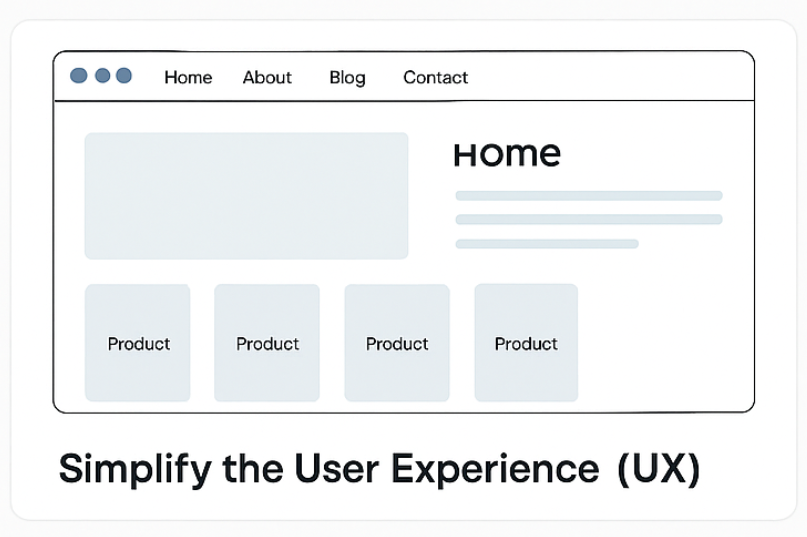
1. Simplify the User Experience (UX)

Great ecommerce websites prioritize ease of use above all else. Your visitors should never have to think twice about where to go, what to click, or how to find what they need.

Here’s how to improve UX:

  • Use clean, clutter-free navigation with clear categories.
  • Offer a prominent search bar—especially for larger stores.
  • Avoid distractions like excessive pop-ups or banners.
  • Make sure every page loads quickly, ideally under 2 seconds.
  • Use consistent branding and intuitive layouts.

Bonus tip: A/B test different homepage layouts to identify what increases engagement.

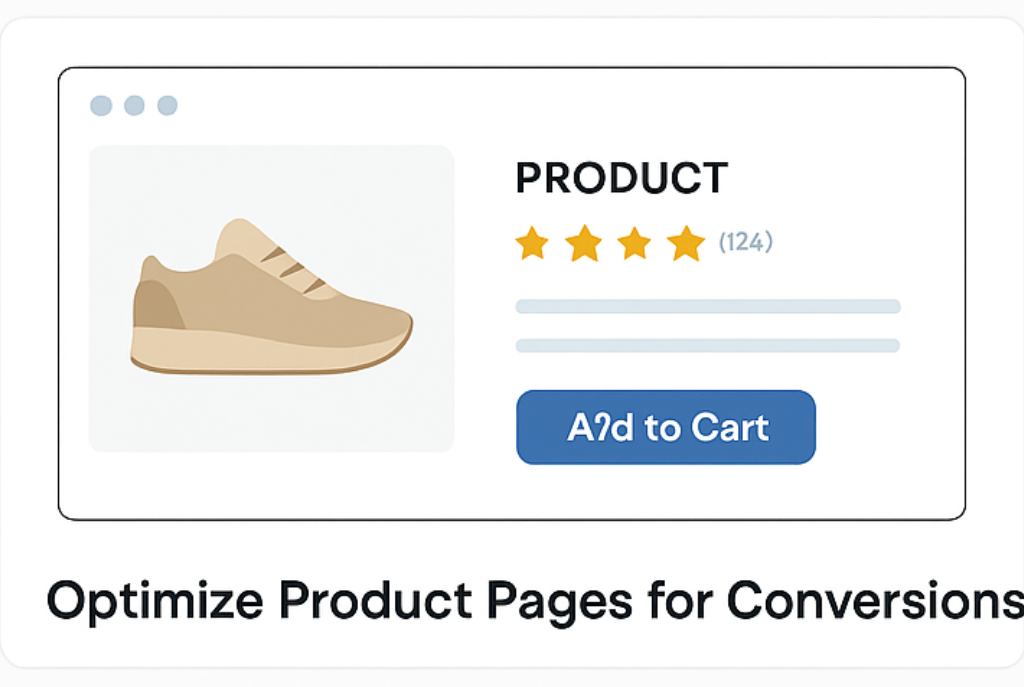
2. Optimize Product Pages for Conversions

Your product pages are your best salespeople—but only if they’re built to persuade.

What your product pages need:

  • High-quality images (including zoom, 360° views, or videos)
  • A clear headline that communicates the product’s value
  • Detailed but scannable descriptions—use bullet points to highlight features and benefits
  • Pricing that’s easy to spot
  • Visible stock status and delivery time

Also, make sure your “Add to Cart” button is in a prominent position and uses a contrasting color to draw attention.

3. Build Trust Through Social Proof

Trust is the foundation of every sale. New visitors are more likely to convert when they see that others trust your brand too.

You can build credibility with:

  • Customer reviews and testimonials
  • Star ratings on each product
  • A “Featured In” section with press mentions or influencer endorsements
  • User-generated content (like photos or videos from real customers)
  • Guarantees (e.g., “100% Money Back” or “Free Returns”)

Pro tip: Implement review schema markup so Google can display ratings in search results.

4. Use Strong and Clear CTAs

Your call-to-action (CTA) buttons guide users toward conversions. If your CTAs are weak, generic, or hard to find, your potential customers may abandon the process.

Make your CTAs:

  • Action-oriented (e.g., “Buy Now,” “Start Free Trial,” “Claim Your Discount”)
  • Visible—use color contrast to make them pop
  • Consistent across product and category pages
  • Placed above the fold on mobile and desktop

Every CTA should answer the question: “What’s the next best action I should take?”

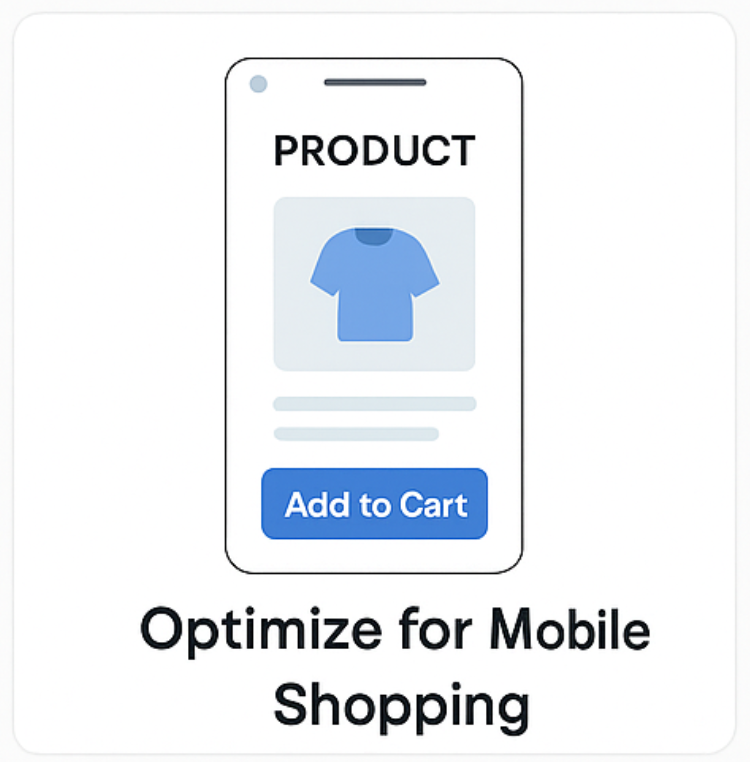
5. Optimize for Mobile Shopping

Over 60% of ecommerce traffic comes from mobile devices. If your site isn’t mobile-friendly, you’re leaving money on the table.

Ensure your mobile experience includes:

  • Responsive design that adapts to any screen
  • Touch-friendly buttons and dropdowns
  • Simplified mobile navigation
  • A mobile-specific checkout flow
  • Speed optimization (compress images, use lazy loading)

Tip: Use Google’s Mobile-Friendly Test to identify mobile UX issues.

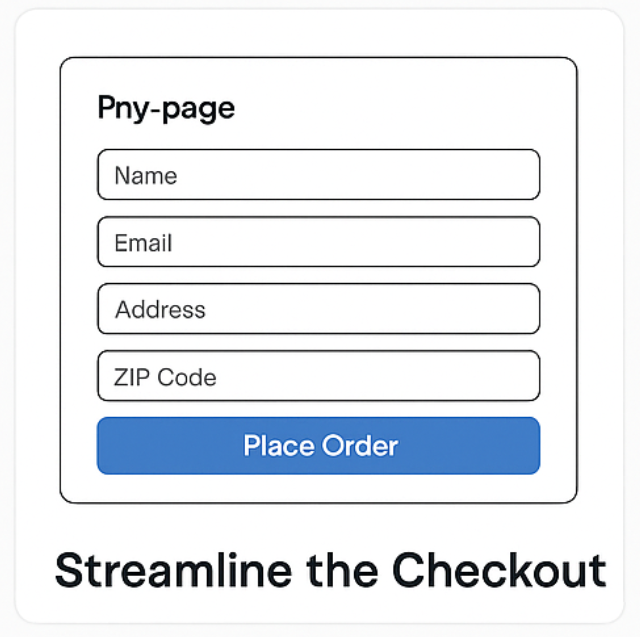
6. Streamline the Checkout Process

Many ecommerce stores lose customers right at the final stage: checkout. Even interested buyers will bounce if they face a clunky or confusing payment process.

Here’s how to streamline it:

  • Offer guest checkout—don’t force account creation.
  • Keep the number of form fields to a minimum.
  • Use a progress bar to show where users are in the process.
  • Offer multiple payment options—credit cards, wallets, cash-on-delivery.
  • Use auto-fill where possible to speed things up.

Reminder: Test your checkout on mobile too—most cart abandonment happens there.

7. Use Exit-Intent Offers & Retargeting

Sometimes users leave for reasons outside your control. That doesn’t mean you’ve lost them for good.

Catch abandoning visitors with:

  • Exit-intent popups offering a discount or free shipping
  • Email capture offers (“Sign up for 10% off”)
  • Retargeting ads on Google and Facebook
  • Abandoned cart emails with incentives to return

Smart timing and personalization are key here—don’t be too aggressive.

Bonus Tip: Analyze User Behavior with Heatmaps & Funnels

Want to know exactly where users drop off or lose interest? Use tools like Hotjar or Microsoft Clarity to view heatmaps and session recordings.

You’ll uncover:

  • Which sections people ignore
  • Where they click the most
  • Which fields cause form abandonment

This gives you data-backed insights to improve weak spots in your conversion flow.

Final Thoughts

Traffic without conversions is just noise. To build a profitable ecommerce business, you need a website that’s not only beautiful but also engineered to sell.

By applying these strategies for how to increase ecommerce website conversions, you’ll create a smoother, more persuasive, and more trustworthy experience for every visitor who lands on your site.

💡 Want a custom ecommerce site built to convert? Explore professional ecommerce web design services and turn your store into a conversion machine.

pexels-goumbik-574071

The Smart Guide to Building a Website for Your Business

Building a website for your business is no longer optional—it’s essential. Whether you’re launching a startup, rebranding, or moving your services online, your website is often the first impression customers have of your brand. It must look great, load fast, and guide users effortlessly from visitor to client.

Before you rush to launch, here’s a practical guide that will help you make confident, well-informed decisions along the way.

1. Understand What Your Website Needs to Do

Every business is different, so your website should reflect your specific goals. Do you want to:

  • Generate leads?
  • Sell products online?
  • Educate and inform?
  • Build credibility?

Clarifying this will help you choose the right design, content, and features from the start.

2. Choose the Right Platform or Development Path

There are countless platforms out there, but not all are created equal. Some businesses thrive with WordPress, others with Shopify or fully custom builds. The key is to pick a solution that:

  • Matches your business size and type
  • Can scale as you grow
  • Fits your content or e-commerce needs

💡 If you’re not sure which is right, Fajri offers expert web design and development tailored to your brand and industry.

3. Keep Design Clean and Focused

Cluttered websites confuse users and hurt conversions. Good design is more than aesthetics—it’s how your audience experiences your brand.

To keep it effective:

  • Use consistent branding and color schemes
  • Keep navigation simple
  • Prioritize mobile-first design
  • Place clear CTAs throughout your site

Remember: in building a website for your business, function should lead form.

4. Create Content That Solves Real Problems

Your content is your voice. It tells visitors who you are, what you do, and why they should trust you.

Tips for effective business website content:

  • Use simple, conversational language
  • Answer questions your ideal client would ask
  • Add testimonials or case studies if possible
  • Write strong, benefit-driven headlines

Solid content gives people a reason to stay and take action.

5. Invest in SEO From Day One

Search engine optimization should never be an afterthought. When building a website for your business, foundational SEO helps you appear in search results from the very beginning.

Make sure you:

  • Use clear, keyword-rich page titles
  • Optimize image sizes and alt text
  • Create fast-loading, mobile-optimized pages
  • Structure your headings and content logically

Even small SEO steps can lead to steady traffic over time.

6. Prepare for the Future, Not Just Today

A successful website isn’t static—it grows with your business. Think about:

  • Blog sections or resource hubs
  • E-commerce integrations
  • Email marketing or CRM features
  • Scalability for more products or services later

Future-focused planning makes your website a long-term investment—not a short-term fix.

7. Test Before You Launch

Testing saves time, money, and headaches. Before going live:

  • Click every button
  • Submit every form
  • View the site on desktop, tablet, and mobile
  • Check for spelling and grammar

A clean launch sets the tone for trust and credibility.

Final Thoughts

Building a website for your business is one of the smartest moves you can make—but it pays to do it right. From choosing the right platform to writing compelling content and optimizing for search, every decision plays a role in how your brand is seen online.

If you’re ready to launch a site that reflects your business goals, Fajri offers complete web solutions—design, development, SEO, and more—to help you build with confidence and clarity.

pexels-pixabay-270632

Which Web Development Framework Fits Your Project Best?

Choosing the right web development framework is a critical step in launching a successful website or app. It affects not only how your project is built but also how scalable, maintainable, and user-friendly it will be.

This guide will walk you through key frameworks, helping you understand when and why each one might be the right fit for your project.

Why the Right Framework Matters

The framework is the backbone of your website. It determines how fast pages load, how secure your data is, and how easily developers can maintain or expand your project.

A carefully chosen web development framework helps you avoid future tech debt and simplifies the launch process.

Popular Frameworks and When to Use Them

Here’s a closer look at some of the most widely used frameworks in 2025:

1. React (JavaScript)

Best for: Front-end development, building dynamic user interfaces.

React, although technically a library, is widely treated as a web development framework due to its robust ecosystem. Built by Facebook, it offers a powerful component-based architecture.

Strengths:

  • Component-based approach for better reusability
  • Extensive ecosystem (e.g., Next.js for SSR)
  • Backed by Facebook, regularly updated
  • Works with most backend stacks

When to use: Ideal for projects requiring high-performance UIs, like single-page applications (SPAs) or progressive web apps (PWAs).

2. Vue.js (JavaScript)

Best for: Lightweight projects and clean front-end design.

Vue is praised for its simplicity and gradual learning curve. It allows developers to scale from small to complex apps easily.

Strengths:

  • Gentle learning curve
  • Two-way data binding
  • Excellent documentation and community
  • Great for integrating into existing projects

When to use: Perfect for small to mid-sized projects that need flexibility without the steep learning curve.

3. Angular (TypeScript)

Best for: Enterprise-level applications.

Angular is a comprehensive web development framework developed by Google. It offers everything needed to build complex apps from scratch.

Strengths:

  • Full-featured (routing, forms, testing included)
  • Built-in TypeScript support
  • Strong tooling and CLI
  • Scalable architecture for large teams

When to use: Choose Angular when working on large, structured apps where code quality and testing are essential.

4. Laravel (PHP)

Best for: Backend development with clean syntax.

Laravel is a powerful backend web development framework known for elegant syntax and developer-friendly features.

Strengths:

  • Built-in authentication and routing
  • Blade templating engine
  • Active community and rich documentation
  • RESTful API support

When to use: Great for building custom web applications or internal systems with complex logic.

5. Django (Python)

Best for: Data-driven apps and rapid development.

Django comes with many built-in features, making it one of the best choices for launching apps quickly and securely.

Strengths:

  • Comes with admin interface out-of-the-box
  • High-level security features
  • ORM for database interaction
  • Encourages clean, reusable code

When to use: Ideal for projects like social platforms, content sites, or CRM tools.

6. Express.js (Node.js)

Best for: Building APIs and fast, lightweight applications.

Express is a minimalist web development framework used for back-end development in JavaScript environments.

Strengths:

  • Lightweight and flexible
  • Works well with front-end frameworks like React
  • Middleware support for custom features
  • Strong performance for small services

When to use: Choose Express for API-first development or when you need flexibility in handling backend logic.

Final Tips Before Choosing

  • Match the framework to your team’s skillset
  • Consider long-term maintenance and community support
  • Avoid overcomplicating small projects with heavy tools
  • Always align technical choices with business goals

If you’re unsure which framework to choose, working with professionals helps. At Fajri, we specialize in building modern websites using the best-suited technologies for every client.

Conclusion

Selecting the right web development framework is more than a technical decision—it’s a strategic one. From React and Vue to Laravel and Django, each framework offers unique benefits tailored to different project needs.

By understanding your goals, technical requirements, and team strengths, you can confidently choose the one that fits your project best. And remember, the right foundation can save you hundreds of hours down the line.

pexels-n-voitkevich-6214383

Key Ways to Measure Ecommerce Success Effectively

Running an ecommerce store involves more than just setting up a website and waiting for sales. If you want to grow, you need to know how to measure ecommerce success properly. Tracking the right data helps you understand what’s working, what’s not, and where you should focus next.

In this guide, we’ll break down the essential metrics every ecommerce owner must monitor.

Why Measuring Ecommerce Success Matters

Success in ecommerce doesn’t happen by accident. It results from making informed decisions based on real data. When you measure ecommerce success the right way, you can:

  • Identify your top-performing products.
  • Understand customer behavior.
  • Spot growth opportunities.
  • Make smarter marketing investments.
  • Improve your customer experience.

Without tracking key metrics, you’re flying blind. With them, you can confidently steer your business toward long-term growth.

1. Conversion Rate: The Heart of Ecommerce Success

Your conversion rate shows the percentage of visitors who complete a desired action, such as making a purchase. It’s one of the clearest indicators when you want to measure ecommerce success.

A healthy conversion rate often means your product pages, checkout process, and marketing efforts are aligned. Conversely, a low rate might signal issues in trust, pricing, or website usability.

Quick tips to boost conversions:

  • Simplify the checkout process.
  • Offer clear product descriptions.
  • Display customer reviews and ratings.
  • Optimize for mobile devices.

Tracking your conversion rate over time will help you quickly spot trends and opportunities for improvement.

2. Average Order Value (AOV): Increase Revenue Without More Customers

Another key metric when you measure ecommerce success is the Average Order Value (AOV). This tells you how much customers typically spend each time they shop with you.

Higher AOV means more revenue per transaction, boosting profits without increasing traffic.

To increase your AOV:

  • Bundle products together.
  • Upsell higher-end products.
  • Offer free shipping thresholds.
  • Suggest complementary products at checkout.

Even small increases in AOV can dramatically impact your bottom line.

3. Customer Retention Rate: Build Long-Term Growth

Acquiring new customers is essential, but keeping them is even better. Your customer retention rate shows how many customers return to buy again.

Businesses that focus on retention often outperform those that focus solely on acquisition. Repeat customers spend more, refer friends, and are easier to market to.

Ways to boost customer retention:

  • Send personalized email follow-ups.
  • Launch loyalty programs.
  • Provide exceptional customer service.
  • Offer exclusive discounts to returning shoppers.

When you measure ecommerce success, never overlook the value of a loyal customer base.

4. Customer Lifetime Value (CLV): Know What a Customer Is Worth

Customer Lifetime Value (CLV) estimates the total revenue a business can expect from a single customer throughout the relationship.

Knowing your CLV helps you decide how much you can afford to spend on marketing and customer service. If your CLV is high, you can invest more confidently in growth strategies.

To increase CLV:

  • Provide consistent value through content and support.
  • Offer subscription services or memberships.
  • Regularly engage customers with targeted offers.

Understanding CLV is crucial when you want to measure ecommerce success accurately.

5. Website Traffic Sources: Know Where Your Visitors Come From

Tracking how visitors find your website is vital. Whether through social media, search engines, email campaigns, or referrals, knowing your traffic sources allows you to allocate marketing budgets more efficiently.

Traffic source breakdown includes:

  • Organic search
  • Paid ads
  • Email marketing
  • Direct visits
  • Social media referrals

Analyzing this data can reveal which channels deliver the best ROI. It’s a smart move to regularly check your website analytics and adapt your strategies accordingly.

Bonus Tip: Monitor Ecommerce Metrics with Expert Help

Tracking all these metrics can feel overwhelming at first. However, using the right tools and expert guidance can simplify the process.

For professional ecommerce solutions that help you better measure ecommerce success, you can explore Fajri’s ecommerce services. Their expertise ensures your business decisions are always backed by real, actionable insights.

Final Thoughts: Start Measuring, Start Growing

Success in ecommerce isn’t about guessing. It’s about tracking, analyzing, and acting on real data. When you measure ecommerce success with the right metrics, you set your business up for sustained growth and profitability.

Remember to monitor your conversion rates, average order value, customer retention, lifetime value, and traffic sources regularly. Small improvements across these areas can lead to massive gains over time.

Ready to take your online store to the next level? Start measuring today and watch your ecommerce success unfold.

Pro Tip: Need help setting up your ecommerce analytics? Visit Fajri for professional support tailored to your business goals.

pexels-karolina-grabowska-5632402

What Is an Ecommerce Platform and Why Should You Use One?

In today’s digital-first world, launching an online business has never been easier—or more essential. Whether you’re a small business owner or an aspiring entrepreneur, understanding what an ecommerce platform is and how it benefits your business is key to staying competitive and scaling with confidence.

Understanding the Basics

At its core, an ecommerce platform is a software application that allows businesses to manage their online store. It handles everything from website creation and product listings to payment processing and inventory management.

Think of it as your digital storefront combined with a powerful backend system. Platforms like Shopify, WooCommerce, Magento, and BigCommerce help you sell products or services online without needing to build every component from scratch.

Why You Should Consider One

Still unsure if it’s worth investing in an ecommerce platform? Let’s break down the benefits:

1. Simplifies Business Management

  • You can manage orders, inventory, customers, and sales from a single dashboard.
  • Automation features reduce manual work, so you can focus on growth.

2. Scalability for Future Growth

As your business grows, so do your needs. Ecommerce platforms are built to scale with you—whether you’re adding new products, expanding to international markets, or launching marketing campaigns.

3. Secure Payment Integration

These platforms support secure, seamless payment options, including credit/debit cards, PayPal, Apple Pay, and more—building customer trust and improving checkout experience.

4. SEO & Marketing Tools Built In

Modern ecommerce platforms come equipped with tools that help boost your visibility in search engines. From customizable URLs to blog integration and meta-tag editing, you get the tools you need to bring traffic to your store.

💡 Want to improve your ecommerce website or build one from scratch? Fajri offers custom ecommerce development services that make your platform not only functional but future-ready.

Choosing the Right Platform

Not all platforms are created equal. Consider the following when picking one:

  • Your budget and tech skills
  • Customization needs
  • Integration with other tools (CRMs, analytics, shipping, etc.)
  • Support and community resources

For example, if you want full control and have developer support, Magento might be a strong fit. On the other hand, if you’re looking for simplicity and speed, Shopify can get you selling in no time.

Final Thoughts

Using an ecommerce platform can be a game-changer. It gives you structure, support, and a solid foundation to launch, grow, and scale your online business. Instead of worrying about tech hurdles, you’ll be focusing on what really matters—delivering value to your customers.

pexels-rdne-7413915

From Idea to Impact: Practical Steps to develop Your Startup Idea

Every successful startup begins with a spark—an idea that solves a problem, fills a gap, or changes the game. But turning that idea into a real, functioning business? That’s the real challenge.

If you’re ready to develop your startup idea into something tangible, scalable, and meaningful, this guide will walk you through practical, proven strategies—without the fluff or startup buzzwords.

1. Start with a Real Problem, Not Just a Cool Idea

Before you fall in love with your concept, ask: Does this solve a real problem? Some of the most successful startups are born from personal frustration or deep industry gaps.

Try This: Interview 10-15 potential users or customers. Ask open-ended questions and listen for pain points—these are goldmines for real startup ideas.

You can also use forums like Reddit or Indie Hackers to research what people are struggling with in your niche.

2. Create a Simple Validation Plan

Instead of building a full product right away, start with an MVP (Minimum Viable Product) or even just a landing page explaining your idea. Focus on getting early feedback and interest.

Try This: Launch a waitlist page with email signups. Share it in communities, social media, or even with friends. If people join your waitlist or message you with interest—you’re onto something.

Need help building that landing page or MVP? Fajri’s website development and app design services can turn your startup concept into a functional, testable product—fast.

3. Build a Lean Brand Identity

You don’t need a full-blown brand book or agency-level visuals at first. But a clean logo, consistent colors, and a clear message go a long way in showing you’re serious.

Quick Tools: Use Canva to make basic branding materials, and Namecheap or GoDaddy to secure a domain early.

When you’re ready to level up with professional branding or graphic design, Fajri has you covered with creative solutions tailored for startups.

4. Network Before You Think You Need To

Many startup founders wait until they need investment or users before building their network. Instead, build relationships early with:

  • Other founders
  • Industry experts
  • Local startup accelerators

You never know where mentorship, partnerships, or even co-founders may come from. Building these connections from day one gives your startup stronger roots.

5. Have a Launch Plan, Not Just a Product

A great product doesn’t sell itself—especially in crowded markets. Before you launch, outline a go-to-market plan with:

  • Email marketing
  • Social media strategy
  • Influencer or community outreach
  • Paid ads (if budget allows)

Need help planning and executing a digital marketing strategy? Fajri offers customized solutions that help startups grow visibility, generate leads, and launch with impact.

Final Words

Developing your startup idea isn’t about overnight success—it’s about taking small, smart steps every day. Keep your focus on solving a real problem, building lean, and testing early.

Most importantly, surround yourself with tools, people, and partners that move you forward. With the right support, your idea has the power to grow into something truly game-changing.

steptodown.com904472

Boost Your Brand: Fresh Marketing Ideas That Actually Work

In today’s noisy digital marketplace, having a product or service isn’t enough—you need to get seen, get remembered, and get chosen. That’s where smart, human-focused marketing ideas come into play.

Whether you’re a startup, small business, or scaling enterprise, this guide will walk you through practical and modern marketing strategies that actually work—without sounding robotic or overused

1. Create a Story That Sticks

Let’s face it—people don’t buy products; they buy the why behind them. A compelling brand story helps you stand out in a sea of competition. Whether it’s the journey of how your business began, the problem you’re solving, or the values you stand for—storytelling builds trust and connection.

Try This: Post a short video sharing your company’s “why” on platforms like YouTube Shorts or Instagram Reels. Keep it under 60 seconds for max engagement.

2. Partner with Micro-Influencers (Not Celebs)

Big influencers charge big money—and often deliver low authenticity. Instead, work with micro-influencers (those with 5,000 to 50,000 followers). These creators usually have tight-knit audiences and higher engagement rates.

  • Look for influencers who already share similar values or interests
  • Offer affiliate partnerships or free products in exchange for content

Micro-collaborations bring genuine buzz to your brand without draining your marketing budget.

3. Make Content Interactive and Fun

Interactive content doesn’t just grab attention—it keeps it. In today’s scroll-heavy world, polls, quizzes, sliders, and Q&As perform better than traditional posts.

Try This: Build a simple quiz on your website like “Which marketing strategy fits your brand?” or do an IG Stories poll like “Logo A or B?”

You can even use platforms like Typeform or Outgrow to build them quickly.

4. Don’t Sleep on Local SEO

If you’re running a business with a physical presence or serving a specific region, local SEO is essential. Optimize your website for “near me” searches, claim your Google Business Profile, and ask happy customers to leave reviews.

Example tweak: Instead of “creative agency,” try “creative marketing agency in Dubai” to rank for regional searches.

If you need professional help with local SEO, marketing, or web design, check out Fajri’s digital marketing services — a one-stop shop for businesses that want to scale smart.

5. Send Value-Packed Newsletters (Not Sales Pitches)

Email marketing is still one of the highest ROI channels—when done right. Avoid being overly promotional. Instead, send newsletters with real value, like:

  • Free templates or downloadable checklists
  • Mini case studies
  • “How-to” insights related to your industry

Use a friendly tone, clear CTA, and a mobile-optimized format.

Bonus Idea: Optimize Your Website Experience

Great marketing brings people to your site—but bad design drives them away. Ensure your website is fast, mobile-friendly, and intuitive. Things like slow load times, poor layout, or confusing navigation kill conversions.

Need help? Fajri also offers expert website development and design tailored to your brand, ensuring your marketing efforts are matched by a high-performing site.

Final Thoughts

Marketing doesn’t have to be loud, expensive, or pushy. When done right, it’s simply about connecting with people in the ways that matter most. By focusing on storytelling, community engagement, useful content, and the right tools, your brand can build trust, gain traction, and stay relevant.

Remember, you don’t need to do it all at once. Test small, adjust based on feedback, and keep things human.

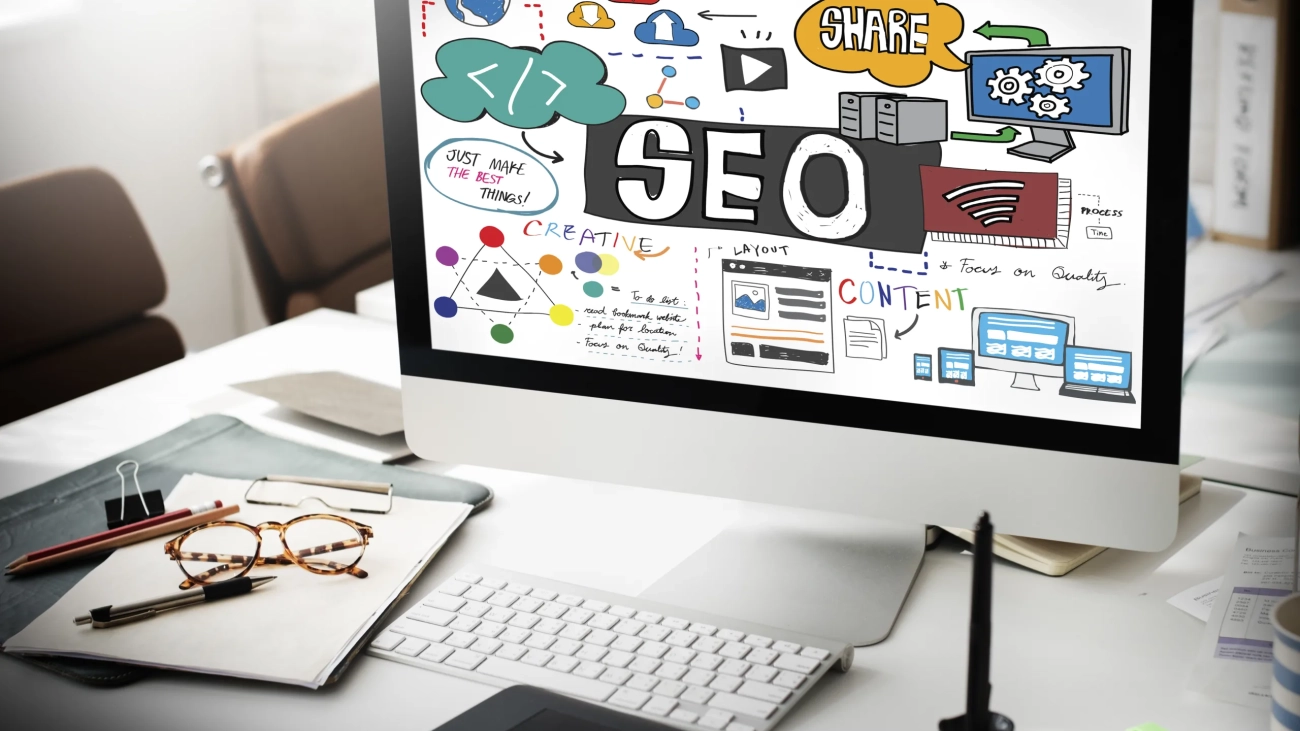
SEO Search Engine Optimization Internet Digital Concept

How Responsive Web Design Improves SEO and User Experience

Creating a seamless user experience across all devices is critical in today’s digital world. Responsive web design (RWD) plays a vital role in not just enhancing user satisfaction but also in improving your website’s search engine optimization (SEO). Let’s dive into how responsive web design transforms your site’s performance and visibility.


What Is Responsive Web Design?

Responsive web design ensures that a website’s layout adapts seamlessly to any screen size, whether it’s a mobile device, tablet, or desktop. By using flexible grids, images, and CSS media queries, RWD enhances both usability and aesthetics.

Related Reading: Learn how to create a mobile-friendly website in our guide to mobile optimization.


Why Is Mobile-Friendliness Important for SEO?

Google’s mobile-first indexing policy emphasizes the importance of websites being mobile-friendly. A responsive site ensures your content is accessible on all devices, which is critical for ranking well in search engine results.


Benefits of Responsive Web Design for SEO

1. Reduced Bounce Rates

Responsive web design ensures your site looks and functions properly on all devices, encouraging users to stay longer. This reduces bounce rates, which signals to search engines that your site offers valuable content.

2. Faster Page Load Speeds

Page speed is a significant ranking factor in SEO. A responsive design eliminates unnecessary redirects and optimizes performance, which improves both your rankings and user satisfaction.

3. Simplified SEO Management

Responsive web design allows you to maintain a single website and URL for all devices, streamlining your SEO efforts. This consistency improves your backlink strategy and avoids duplicate content issues.

Further Reading: Discover more SEO strategies in our post on best practices for SEO-friendly design.


Improving User Experience Through Responsive Design

1. Consistent Navigation

Responsive sites offer smooth navigation across all devices. Users can find what they’re looking for without frustration, leading to increased engagement.

2. Accessibility for All

Whether on a smartphone or a desktop, responsive web design ensures your content is accessible to every user. This inclusivity is essential for providing a superior browsing experience.

3. Professional Appearance

Responsive design enhances visual appeal, making your site look professional and trustworthy, regardless of the device used.


Real-World Examples of RWD and SEO Success

Consider global e-commerce sites like Amazon, which use responsive web design to ensure a seamless shopping experience. Their mobile-friendly approach has significantly boosted customer satisfaction and SEO performance.


Key Takeaways: Responsive Design in 2024

As search engines continue to prioritize mobile usability and speed, investing in responsive web design is no longer optional. Businesses that adopt RWD enjoy benefits such as higher rankings, reduced maintenance costs, and better user retention.


Conclusion

Responsive web design is the foundation of a user-friendly, SEO-optimized website. By ensuring your site is adaptable to all devices, you’ll enhance user experience, improve your rankings, and stay competitive in the ever-changing digital landscape. If you’re not leveraging responsive design, it’s time to rethink your strategy.